A proposal should make the scope easy to understand, protect the contractor from
unpriced work, and give the client a clear decision. The sample uses this structure:
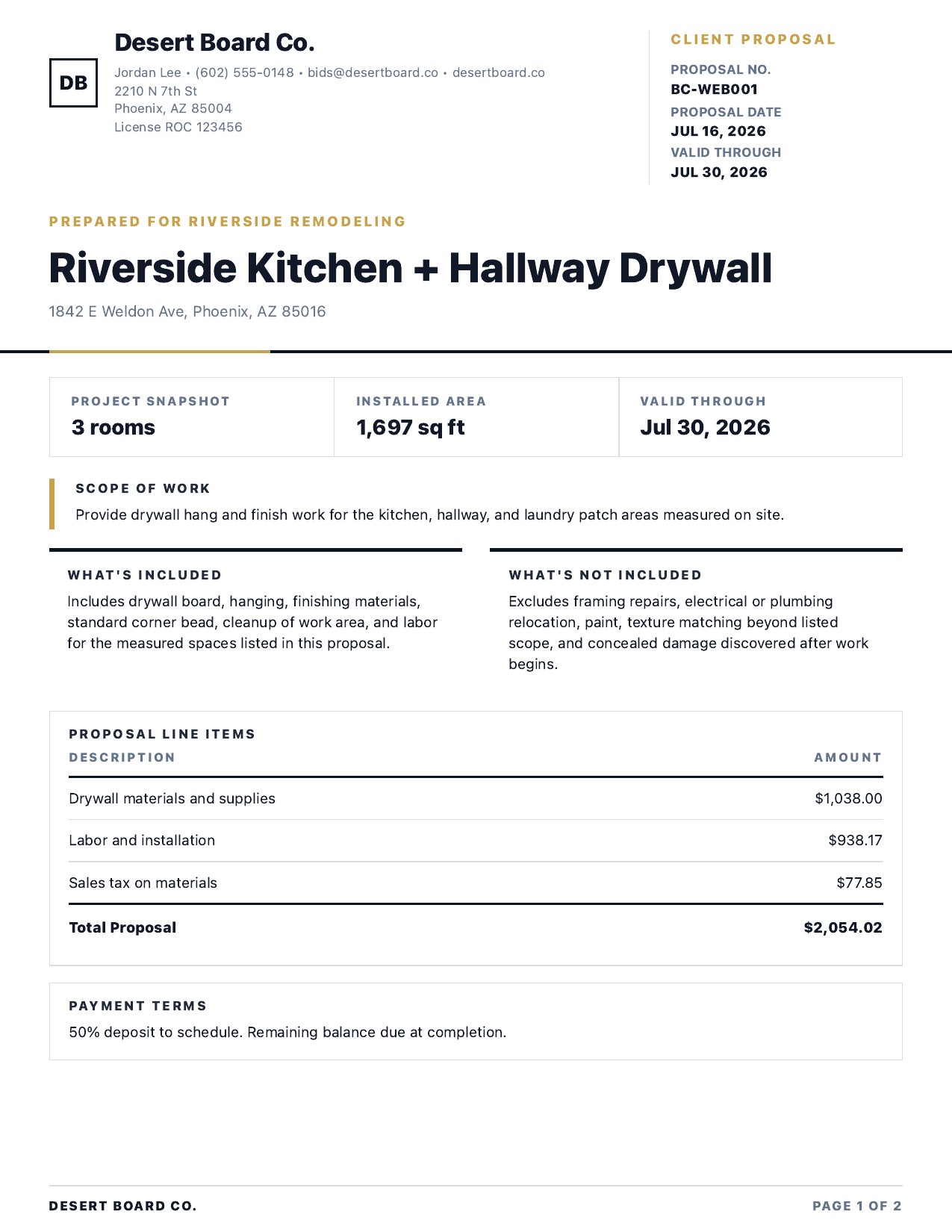
Contractor and project detailsCompany identity, contact information, license, client, project address, proposal number, date, and validity window.
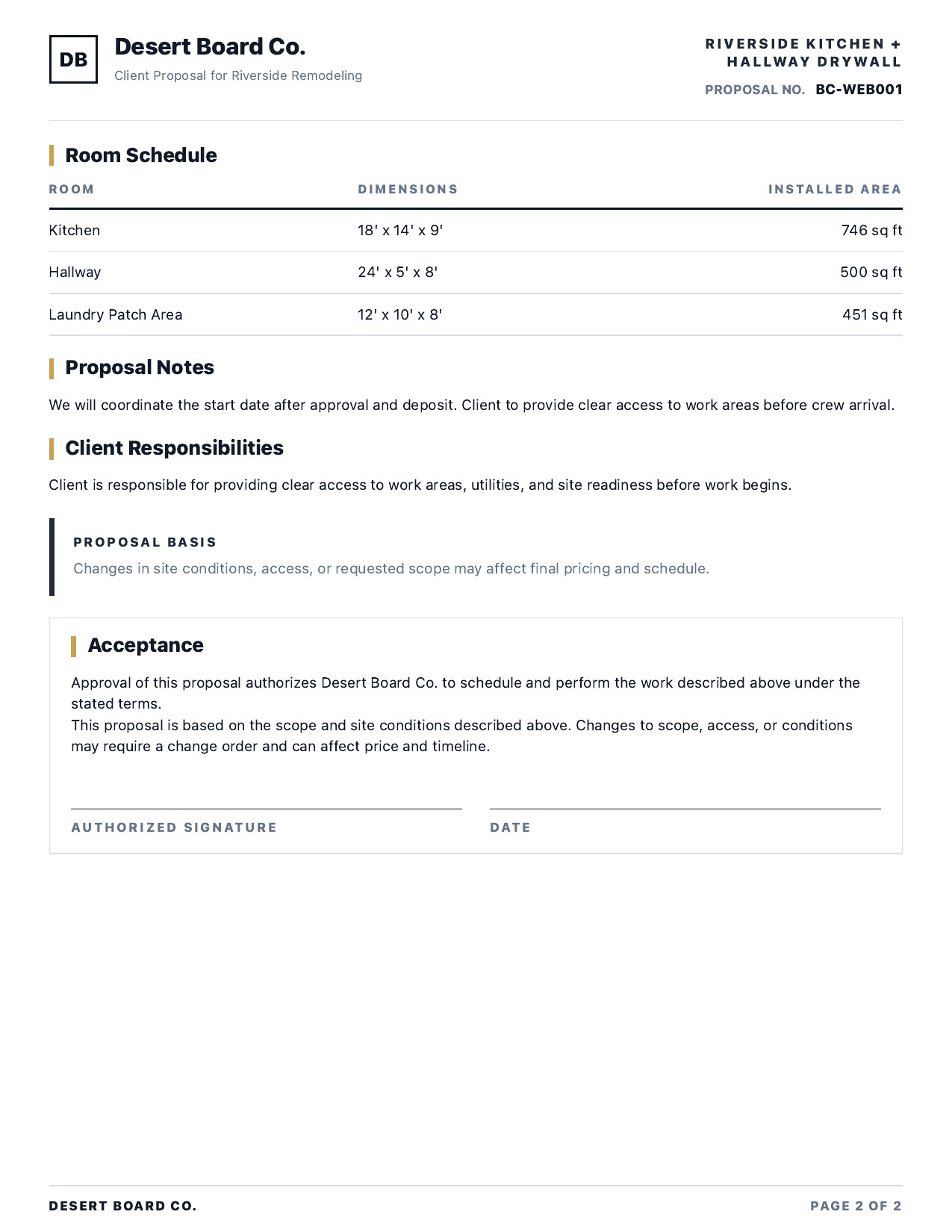
Measured scopeRooms, installed area, board count, finish level, cleanup expectations, and a plain-language scope of work.
Inclusions and exclusionsWhat the price covers, what it does not cover, and which client responsibilities must be completed before work begins.
Price presentationOne clear total or selected client-facing line items without exposing markup, margin, labor rate, or internal notes.
Payment and change-order termsDeposit, balance timing, proposal basis, and a written path for scope or site-condition changes.
AcceptancePrinted name, signature, and date so both sides can identify the proposal being accepted.
Yours
Control what the client sees
Company name, logo, license, contact info. Scope, inclusions, exclusions, payment
terms, validity window, personal notes. Show or hide the room schedule, material
summary, project snapshot, and signature block. Total-only or line-item pricing.
Private
Your numbers stay yours
BoardCount does not automatically include markup, margin, labor rates, unit prices, or
internal notes in the generated client copy. Those live on your internal estimate PDF.
Review any custom text you enter before sharing a proposal.
Built from a takeoff in minutes, on your phone.
Measure the rooms, set your pricing, and BoardCount writes this document for you. Your
free Quick Calc lets you try the material math; saved jobs, pricing, and proposal PDFs
require Pro. Monthly, annual, and lifetime options are available in the app.
The sample uses fictional data. Estimates and proposals depend on the measurements,
pricing, labor rates, and assumptions you enter — verify everything before sending a bid
or signing a contract.